
If you launched your Shopify store hoping Google would find it, and three months later your traffic dashboard still looks like a flatline… You are not alone.
Most beginners assume Shopify “handles SEO automatically.” It does not! Shopify covers roughly 80% of technical scaffolding for you, but the 20% it leaves on the table is exactly what separates stores that compound traffic month after month from stores that quietly stay invisible.
This is the only Shopify SEO checklist you actually need as a beginner. No fluff, no jargon walls, no “just write good content” platitudes.
You get a sequenced, phased system you can run through in a weekend, plus the deeper layers that pay off over the next 90 days.
Everything here is current to the 2026 search landscape, including AI Overviews, Generative Engine Optimization (GEO), and the schema work that gets your products cited inside ChatGPT and Perplexity answers.
By the end of this guide, your store will be measurably more discoverable to Google, Bing, and AI search engines, and you will know exactly what to do next instead of guessing.
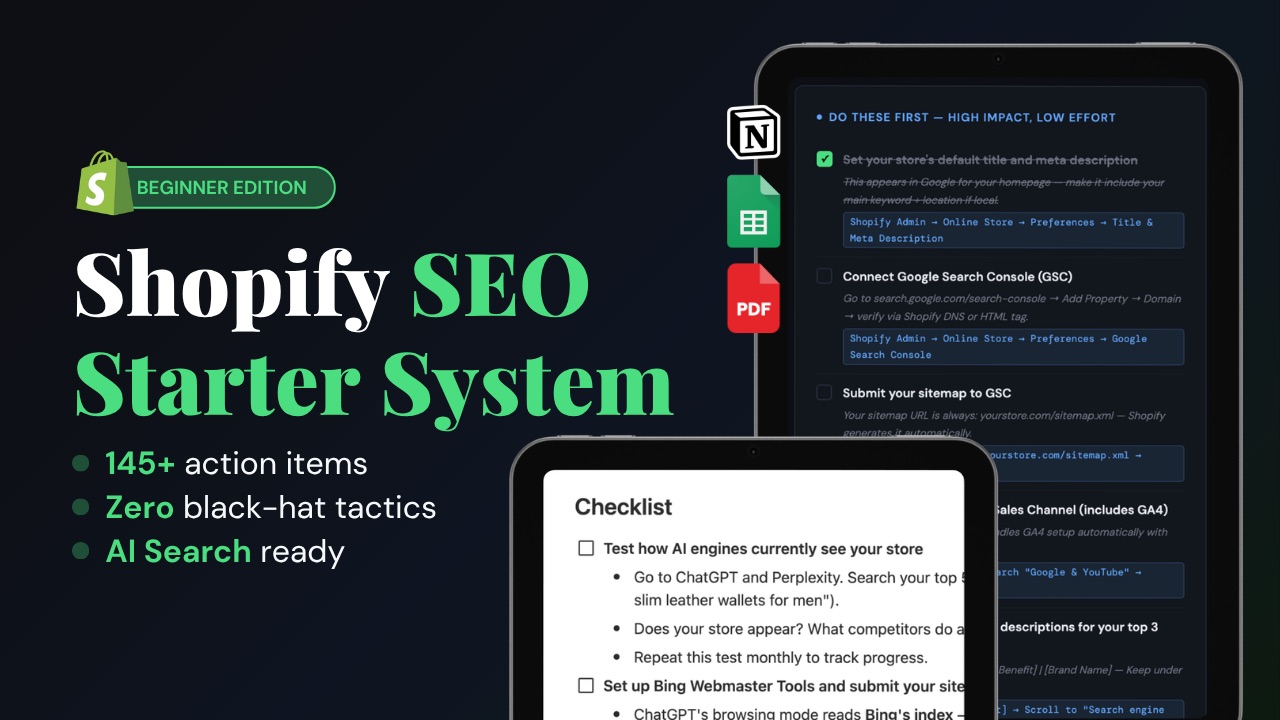
Want this entire checklist as a downloadable PDF + Notion template, and Google sheet template you can tick off? Grab the Shopify SEO Starter system – a 9-phase implementation toolkit with +145 action items that turns this article into a step-by-step playbook with everything you need.
Key Takeaways
- Shopify SEO is a 9-phase process, not a one-time task.
Foundation → keywords → on-page → product pages → collections → technical → content → AI search → off-page. - Organic search is the highest-ROI channel for e-commerce.
Roughly 43% of e-commerce traffic still starts with a search engine, and AI-referred traffic is now growing faster than any other source. - Shopify gives you a head start, not a finish line.
Sitemaps, SSL, mobile-responsive themes, and basic canonicals are auto-handled — but product copy, collection descriptions, schema, and speed are on you. - AI Overviews changed the rules.
A significant share of queries now triggers AI summaries, so beginner stores must optimize for citations, not just rankings. - The 80/20 wins:
keyword-mapped product/collection pages, fast Core Web Vitals, complete product schema, internal linking, and at least 8–12 helpful blog posts in your first 90 days. - Track from day one.
If Google Search Console and GA4 are not installed before you optimize, you have no baseline to prove anything is working.
What Is a Shopify SEO Checklist?
A Shopify SEO checklist is a structured, prioritized list of optimization tasks that helps a Shopify store rank in Google, Bing, and AI search engines. It covers four layers: foundation (analytics, sitemap, indexing), on-page SEO (titles, meta, content, internal links), technical SEO (speed, schema, crawlability), and off-page SEO (backlinks, brand mentions). Beginners use a checklist to avoid skipping steps that compound, like alt text, canonical tags, and structured data, that pay off long after launch.
In plain terms, it is the difference between having a Shopify store and having a Shopify store that Google can actually understand and recommend.
Why Shopify SEO Matters More Than Ever in 2026
Three forces have made Shopify SEO simultaneously more rewarding and less forgiving than it was even two years ago.
1. Search is still the largest traffic channel for e-commerce. Across most niches, organic search drives a larger share of qualified visitors than paid ads, social, or email, and unlike paid traffic, it compounds. A product page that ranks for “vegan leather backpack” in month four keeps earning visits in month forty.
2. AI Overviews now sit between your store and the click. Google’s AI summaries appear on a meaningful slice of ecommerce-adjacent queries, and tools like ChatGPT, Claude, and Perplexity are being used to research products before shoppers ever see a SERP. Stores that are not optimized for AI citations are losing the visibility they used to get for free.
3. The bar for “good content” has risen. Thin product descriptions, generic collection blurbs, and AI-spun blog posts are explicitly devalued by Google’s helpful content systems. Beginner stores that publish fewer, deeper pages now consistently outrank older stores running on autopilot.
The good news? Shopify is well-built for SEO when you know which levers to pull. The checklist below pulls them in the right order.
🎯 Skip the guesswork. The Shopify SEO Starter system condenses every checklist below into a printable workbook, app stack, and 30-day calendar – built specifically for new Shopify owners. Grab your copy and follow along section by section.
Phase 1: Foundational Setup (Do This First)
Before you optimize a single product, lay the foundation. Without these tools, you cannot measure progress, and you will be flying blind.
1. Pick a custom domain (not the .myshopify.com URL)
A yourbrand.com domain signals legitimacy to Google and shoppers. Buy directly through Shopify or transfer an existing domain. Keep it short, brandable, and .com if possible.
2. Install Google Search Console (GSC)
This is non-negotiable. Verify your domain, submit your sitemap (yourstore.com/sitemap.xml — Shopify generates it automatically), and watch indexing reports weekly. GSC tells you which queries are bringing impressions, which pages are not indexed, and where you are losing clicks.
3. Install Bing Webmaster Tools
Bing data feeds ChatGPT and Copilot search. Submitting your sitemap here also accelerates AI search visibility; most beginners skip this and lose easy citations.
4. Install GA4 (Google Analytics 4)
Connect via Shopify’s native Google & YouTube channel or via Google Tag Manager. Track sessions, source/medium, conversions, and revenue from organic.
5. Set your store’s preferences
In Online Store → Preferences, write a homepage title (≤60 characters) and meta description (≤155 characters) that include your primary keyword + brand name. Add your social sharing image and favicon while you’re there.
6. Pick a fast, lightweight theme
Default themes like Dawn, Sense, and Refresh are built on Shopify’s modern Online Store 2.0 architecture and ship with strong Core Web Vitals out of the box. Avoid theme bloat — every paid theme adds JavaScript that can sink your speed score.
7. Audit your robots.txt
Shopify auto-manages robots.txt and blocks low-value pages by default. As of 2024, you can edit it via robots.txt.liquid. Beginners should leave defaults alone unless an SEO consultant flags a specific issue.
Phase 2: Keyword Research for Beginners
You cannot rank for keywords you have not chosen. Skip this phase, and every other phase becomes guesswork.
8. Brainstorm seed keywords from your customer’s vocabulary
Start with the exact phrases a customer would type. If you sell handmade ceramic mugs, your seeds are: “ceramic coffee mug,” “handmade pottery mug,” “stoneware mug for tea.” Not “drinkware solutions.”
9. Expand with free tools
Use Google’s autocomplete, “People Also Ask,” and “Related Searches”, these are free goldmines of intent-rich phrases.
Plug seeds into Google Keyword Planner, Ubersuggest (free tier), or AnswerThePublic.
10. Group keywords by intent
Sort each keyword into one of three buckets:
| Intent | Example | Page type that should target it |
|---|---|---|
| Informational | “Buy a stoneware coffee mug” | Blog post |
| Commercial | “best handmade ceramic mugs” | Collection page or buyer’s guide |
| Transactional | “buy stoneware coffee mug” | Product page |
11. Prioritize long-tail keywords as a beginner
A new store with no domain authority will lose to Amazon for “ceramic mug.” But it can absolutely win “speckled stoneware mug for pour over coffee” within weeks. Long-tail terms have lower volume but far higher conversion intent and far less competition.
12. Map one primary keyword per URL
Open a spreadsheet. Column A: URL. Column B: primary keyword. Column C: search volume. Column D: secondary keywords. Never let two pages target the same keyword; that’s how you create internal cannibalization.
Phase 3: On-Page SEO Essentials
On-page SEO is the practice of giving Google (and AI crawlers) clear signals about what each page is about. Get this right, and the rest gets easier.
13. Optimize your title tag
- Lead with the primary keyword
- Stay under ~60 characters
- Add a compelling differentiator (free shipping, brand, benefit)
- Example:
Handmade Stoneware Coffee Mug - 12oz | YourBrand
14. Write meta descriptions that earn the click
Meta descriptions are not a ranking factor, but they decide CTR. Stay under ~155 characters, include the keyword once, and end with a clear benefit or call to action.
15. Use one H1 per page
Shopify’s product template auto-renders the product title as H1. Don’t double up. For pages and blog posts, give each page exactly one H1 that includes the primary keyword naturally.
16. Use H2s and H3s to structure content
Headings are how AI extractors and Google understand your content’s hierarchy. Use them like you would chapter headings in a book descriptive and keyword-aware, never decorative.
17. Write clean, readable URLs
Shopify’s URL structure is fixed (/products/, /collections/, /pages/, /blogs/). The slug at the end is yours. Keep it short, lowercase, hyphen-separated, and keyword-focused: /products/stoneware-coffee-mug not /products/SKU-883472.
18. Add internal links from relevant pages
Every new page should link to and from at least 2–3 other pages. Link from blog posts to product pages using descriptive anchor text. This is one of the fastest ways to grow rankings without earning new backlinks.
Phase 4: Shopify Product Page SEO Checklist
Product pages are where ranking translates to revenue. This is the single most important phase if you sell physical goods.
| Verify the Product schema is rendering | Task | Why it matters |
|---|---|---|
| 19 | Write a unique, ≥300-word product description | Thin or duplicated descriptions are the #1 reason new Shopify stores don’t rank |
| 20 | Front-load the primary keyword in the first 100 words | Google weighs early text more heavily |
| 21 | Add a custom SEO title and meta description (Edit website SEO) | Don’t let Shopify auto-generate them — write them deliberately |
| 22 | Use descriptive, hyphenated image filenames before upload | blue-stoneware-mug-12oz.jpg, never IMG_3492.jpg |
| 23 | Add keyword-rich alt text to every image | Format: [product] + [key descriptor] + [color/size] |
| 24 | Compress every image (TinyPNG, Squoosh, or a Shopify app) | Each unoptimized photo hurts LCP and can drop your CWV grade |
| 25 | Add structured FAQ blocks to every product page | Captures long-tail questions + qualifies for FAQ rich snippets |
| 26 | Show real customer reviews with star ratings | Reviews add fresh user-generated keywords and trigger Product schema |
| 27 | Link to the parent collection and 2–3 related products | Improves crawl depth and shopper journey |
| 28 | Verify Product schema is rendering | Use Google’s Rich Results Test on every product type |
Pro tip: AI Overviews favor product pages that answer the who, what, why, and how of a product. Don’t just describe, explain who it is for, what problem it solves, why your version is different, and how to use it.
Phase 5: Shopify Collection Page SEO Checklist
Collection pages are arguably the most underused SEO asset in Shopify. They naturally target high-intent commercial keywords like “men’s running shorts” or “organic skincare gift sets” – which is exactly what your buyers are typing.
29. Add unique copy to every collection
Write 150–300 words of original, helpful description above or below the product grid. Cover: who it’s for, key features to look for, and how to choose. This is your single biggest collection-page SEO win.
30. Write a custom SEO title and meta description
Same rules as product pages – keyword-led, under the character limits, click-worthy.
31. Optimize the collection URL slug
/collections/handmade-ceramic-mugs — not /collections/all-products-2.
32. Add an H1 (most themes need this enabled)
Some Shopify themes hide the collection H1 by default. Open your theme editor and enable it.
33. Use descriptive product titles inside the collection
Each tile in the grid is an internal anchor text to the product page. Keyword-rich titles compound your rankings.
34. Implement breadcrumb navigation with schema
Breadcrumbs help users and feed the BreadcrumbList schema to Google for richer search appearances.
35. Avoid cannibalization
Don’t create three near-identical collections targeting the same keyword. One canonical, well-optimized collection beats three weak ones every time.
Phase 6: Technical SEO for Shopify (The 20% Shopify Doesn’t Handle)
Yes, Shopify covers most of the technical foundation. But the 20% left to you is exactly what determines whether you compete or coast.
36. Pass Core Web Vitals
Run your homepage, top product, and top collection through PageSpeed Insights. The metrics that matter most: LCP (≤2.5s), INP (≤200ms), CLS (≤0.1). Compress images, lazy-load below-the-fold media, remove unused apps.
37. Audit and remove unused Shopify apps
Every app injects JavaScript and CSS, even after you uninstall it. Use a dev tool like the Shopify Theme Inspector to find leftover scripts. Each removed app typically shaves 100–400ms off load time.
38. Implement Product, FAQ, BreadcrumbList, and Organization schema
Most modern Shopify themes ship with Product schema, but verify it on every product type using Google’s Rich Results Test. For the FAQ schema, use a dedicated app or theme-level customization.
39. Verify canonical tags on collection-product URLs
Shopify can serve a single product at both /products/x and /collections/y/products/x. The canonical tag should always point to the bare /products/x URL. This is auto-handled in most themes, but double-check on your top sellers.
40. Set up 301 redirects for any URL changes
When you rename a product or delete a collection, Shopify usually offers a redirect – accept it. Manage manual redirects under Online Store → Navigation → URL Redirects.
41. Confirm mobile-friendliness
Your theme should pass Google’s Mobile-Friendly Test by default, but always verify after a theme update. More than 60% of e-commerce visits happen on mobile; if it fails, you fail.
42. Make sure HTTPS is live across the entire store
Shopify enables SSL automatically, but if you migrated from another platform or use a custom domain, verify that there are no mixed-content warnings.
43. Submit your sitemap and monitor indexing weekly
Inside GSC, watch for “Discovered – currently not indexed” or “Crawled – currently not indexed.” These are your highest-leverage fixes — fast.
44. (Advanced) Add a llms.txt file
This is the new robots.txt for AI crawlers. It tells LLMs which content to prioritize when generating answers. Most stores skip it; early movers earn AI citations.
Phase 7: Content & Blog Strategy
Content is what feeds your store backlinks, internal linking opportunities, and a place to capture informational and “consideration stage” traffic that product pages cannot.
45. Publish 8–12 cornerstone blog posts in your first 90 days
Each post should target one informational long-tail keyword tied to your products. If you sell ceramic mugs, write: “How to season a stoneware mug,” “Are ceramic mugs dishwasher safe?”, “Best mug size for pour-over coffee.”
46. Use the question-and-direct-answer format
AI search engines extract the first 1–3 sentences after a question heading. Pose a question as an H2, then answer it concisely (40–60 words) before going deeper. This pattern wins featured snippets and AI citations simultaneously.
47. Add internal links from blog posts to commercial pages
A blog post about “how to choose a ceramic mug” should link to your Ceramic Mugs collection and your top three products. This is how content turns into revenue.
48. Refresh content every 6–12 months
Update statistics, swap outdated screenshots, expand thin sections, and change the publish date. Refreshing existing posts often outperforms publishing new ones.
49. Don’t auto-publish AI-generated content
Google permits AI-assisted content but penalizes scaled, low-value AI output. Use AI to draft and outline, then add original photography, your own opinions, and customer quotes.
🎯 Halfway through and feeling the volume? That’s normal.
The Shopify SEO Starter system ships with templates for product descriptions, collection copy, blog post outlines, and schema snippets – so you stop staring at a blank cursor and start shipping. Grab it now if you haven’t already.
Phase 8: AI Search & Generative Engine Optimization (GEO)
This is the layer most beginner Shopify SEO checklists ignore — and it is the layer that increasingly decides whether new shoppers ever see your store. AI Overviews, ChatGPT shopping, Claude, and Perplexity all pull from a different (but overlapping) signal set than classic Google ranking.
50. Allow AI crawlers in your robots.txt
Some Shopify theme defaults block GPTBot, ClaudeBot, or PerplexityBot. If you want to be cited in AI answers, you must let them crawl. Audit and explicitly allow trusted AI user agents.
51. Restructure product and blog content into “self-contained passages.”
AI models extract ~150–300 word chunks, not whole pages. Break long sections with clear H2/H3 headings, and make sure each section makes sense without surrounding context.
52. Add a TL;DR or summary at the top of every long page
A 50–80 word summary that directly answers the page’s primary question is the single highest-leverage tactic for AI citation right now.
53. Submit your product feed to Google Merchant Center
Free product listings power Google Shopping and feed AI shopping experiences. Many beginner stores skip this and lose the visibility they could have for $0.
54. Build “entity” signals around your brand
Make sure your business name, address, phone, founder, and “about” details are consistent across your homepage, About page, Google Business Profile, social bios, and any directory listings. AI models build entity profiles from this consistency.
55. Track your brand mentions in AI tools
Manually run your top 10 commercial queries through ChatGPT, Claude, Perplexity, and Google’s AI Overview every month. Note who’s cited and what page they’re citing. This is your AI ranking report.
Phase 9: Off-Page SEO (Building Authority)
Once your house is in order, the next compounding lever is convincing the rest of the internet that you matter.
56. Earn (don’t buy) backlinks
Pitch your story to niche bloggers, submit your products to gift guides, get featured in industry roundups, and guest post for adjacent (not competing) brands. One link from a relevant, reputable site beats 50 from directories.
57. Set up and optimize your Google Business Profile
Even if you’re online-only, a Google Business Profile reinforces your brand entity and feeds local AI searches.
58. Build social signals consistently
Likes and shares aren’t direct ranking factors, but social-driven traffic to your store correlates with stronger rankings — and gives AI models more places to learn your brand.
59. Get on review platforms
Trustpilot, Judge.me, Loox, Yotpo. Consistent third-party reviews build trust signals that AI engines actively look for.
60. Monitor your backlink profile monthly
Use Ahrefs, Semrush, or the free Google Search Console “Links” report. Disavow spam, double down on what works.
Common Beginner Mistakes (Avoid These)
| Mistake | Why it hurts | Quick fix |
|---|---|---|
| Copy-pasting manufacturer descriptions on product pages | Duplicate content, no keyword focus | Rewrite every description in your own voice with keywords |
| Letting Shopify auto-generate every meta tag | Generic, low-CTR snippets | Custom-write SEO titles + meta for top 20 pages first |
| Installing 15+ apps “just to try” | Crushes Core Web Vitals | Audit monthly, uninstall anything below 80% usage |
| Targeting head terms as a new store | You can’t outrank Amazon on day one | Start with long-tail, ladder up over months |
| Ignoring collection pages | Highest-intent commercial pages left empty | Add 150–300 words of unique copy to each |
| No blog | No keywords for top-of-funnel queries | Publish 1 cornerstone post per week for 12 weeks |
| Not tracking anything | You can’t improve what you don’t measure | Install GSC + GA4 in Phase 1 |
The Beginner’s Shopify SEO Tool Stack
You don’t need a $200/month software stack to start. Here’s what actually matters:
| Tool | Purpose | Cost |
|---|---|---|
| Google Search Console | Indexing, queries, CTR | Free |
| Bing Webmaster Tools | Bing + AI search visibility | Free |
| Google Analytics 4 | Traffic + conversion tracking | Free |
| Google PageSpeed Insights | Core Web Vitals | Free |
| Google’s Rich Results Test | Schema validation | Free |
| Ubersuggest / Keyword Planner | Keyword research | Free / Free |
| Shopify SEO apps (e.g., Smart SEO, Plug In SEO) | Bulk meta + alt text | $5–$30/mo |
| Ahrefs Webmaster Tools | Free backlink audit | Free |
The Shopify SEO Starter system includes a curated app stack with current pricing, so you skip the trial-and-error.
Your 30/60/90-Day Shopify SEO Action Plan
| Window | Focus | Outcome |
|---|---|---|
| Days 1–30: Foundation + On-Page | Phases 1–5 of this checklist. Get every product and collection page to a baseline level. | Indexed, tracked, on-page optimized store. |
| Days 31–60: Technical + Content | Phases 6–7. Fix Core Web Vitals, validate schema, publish 4–6 cornerstone blog posts. | Faster store, richer SERP appearance, content engine running. |
| Days 61–90: AI Search + Off-Page | Phases 8–9. GEO optimization, Merchant Center submission, first 5–10 backlink pitches. | Visible in AI search, growing authority, first rankings on long-tail terms. |
By day 90, a brand-new Shopify store implementing this checklist consistently will be ranking on page one for at least a handful of long-tail keywords — and laying the groundwork to compete on higher-volume terms in months four through twelve.
Frequently Asked Questions
How long does Shopify SEO take to work?
Most Shopify stores see initial movement (rankings on long-tail keywords, indexing improvements, CTR gains) within 4–8 weeks. Meaningful traffic and revenue lift typically takes 3–6 months of consistent execution. Highly competitive niches can take 9–12 months. Consistency beats intensity – small weekly improvements compound faster than sporadic overhauls.
Is Shopify good for SEO?
Yes — with caveats. Shopify covers SSL, mobile responsiveness, sitemap generation, and basic canonical handling out of the box. Its constraints (fixed /blogs/ and /collections/ URL paths, limited native schema control for non-product pages) They are real but manageable. For 95% of beginner stores, Shopify is more than capable of ranking competitively.
Do I need a Shopify SEO app?
Not initially. A free SEO app like Smart SEO or Plug In SEO speeds up bulk meta tag and alt text editing once you have 50+ products. With fewer than 50 products, manual optimization is faster and cheaper. The Shopify SEO Starter system includes a vetted app shortlist for each store size.
What’s the difference between Shopify SEO and regular SEO?
The fundamentals are identical: keywords, on-page, technical, and off-page. The differences are platform-specific quirks – fixed URL structures, Shopify’s app ecosystem, the way Liquid templates render schema, and Shopify’s own canonical tag behavior. A general SEO checklist will get you 70% of the way there; a Shopify-specific checklist (like this one) gets you the remaining 30%.
Should I optimize for AI search engines or Google first?
Both, simultaneously, they share most signals. The three highest-leverage tasks (clean content structure, complete product schema, fast page speed) improve your Google rankings and your AI citation odds. Treat AI optimization as a layer on top of classic SEO, not a replacement.
How much should I budget for Shopify SEO as a beginner?
Zero to $50/month gets you started. Your time is the real investment. Free tools (GSC, GA4, PageSpeed Insights) cover most of what you need. Add a $5–$30/month SEO app once your catalog grows past 50 products. Reserve any larger budget for content creation, professional photography, and earning backlinks.
Will AI Overviews kill organic traffic to my store?
For pure informational queries, yes – clicks are dropping. For commercial and transactional queries (where buyers want to compare, see, and purchase), AI Overviews increasingly send qualified traffic with high conversion intent. The stores being cited in AI answers are seeing higher conversion rates than they ever did from classic SEO.
What’s the single most important Shopify SEO task for beginners?
If you can only do one thing this week: write unique, 300+ word descriptions on your top 10 product pages with the primary keyword in the first 100 words and the SEO title field filled out manually. That alone will move the needle more than any other single action.
Do I need to know how to code?
No. Every task in this checklist can be completed through the Shopify admin or with no-code apps. Advanced technical work (custom schema, theme tweaks, llms.txt) is optional and can be handled by a freelancer for $50–$200 once your store is earning.
How do I know if my SEO is working?
Three weekly metrics inside Google Search Console: total impressions (rising), total clicks (rising), and number of indexed pages (matching your real page count). If those three trend up over 60–90 days, your SEO is working – even if revenue hasn’t caught up yet.
Ship This Checklist, Don’t Bookmark It
Bookmarked checklists earn zero rankings. Implementing checklists earns organic traffic that compounds for years.
The Shopify SEO Starter system is the implementation layer for everything you just read. It includes:
- A printable, tickable version of this entire 60-task checklist and +145 action-items.
- Plug-and-play product description, collection copy, and blog outline templates
- Copy-paste JSON-LD schema snippets for Product, FAQ, Breadcrumb, and Organization
- A 30/60/90-day calendar with daily tasks (≤30 min each)
- A vetted free + paid app shortlist with current 2026 pricing
- Prompts to use AI (the smart way) for meta descriptions, alt text, and FAQ content
👉 Get the Shopify SEO Starter system →
You’ll go from “I think my store has SEO problems” to “I know exactly what to fix this week” in about 20 minutes.
Conclusion
Shopify SEO in 2026 is not harder than it was – it is different. The fundamentals (keywords, on-page, technical, off-page) still drive most of the results. What’s changed is that you now layer Generative Engine Optimization on top: structured content, clean schema, AI-crawler access, and entity consistency.
Beginners who follow this checklist sequentially – foundation first, then keywords, then on-page, then product/collection pages, then technical, then content, then AI search, then off-page – outperform stores that have been live for years but never followed a system.
Open Shopify admin. Pick Phase 1, Task 1. Ship it today. Then come back tomorrow for Task 2.
That’s it. That’s the secret.