
A typical Shopify SEO agency retainer runs $2,000 to $5,000 per month. For most stores doing under $50,000 a month in revenue, that math does not work. By the time the agency’s twelve-month engagement produces measurable results, you have spent $24,000 to $60,000 on something you could have done yourself.
The truth is that Shopify SEO is largely procedural. The technical work follows a predictable sequence. The content work requires writing about your own products, which you understand better than any outside agency ever will. The off-page work compounds over months of consistent effort. None of it requires an SEO degree or specialized tools costing thousands per year.
What it does require is knowing what to do, in what order, and how to recognize when you are making progress versus when you are spinning your wheels. This guide gives you that… a complete framework for handling Shopify SEO yourself, the realistic time commitment, the tools you actually need (most are free), and when hiring help genuinely makes sense.
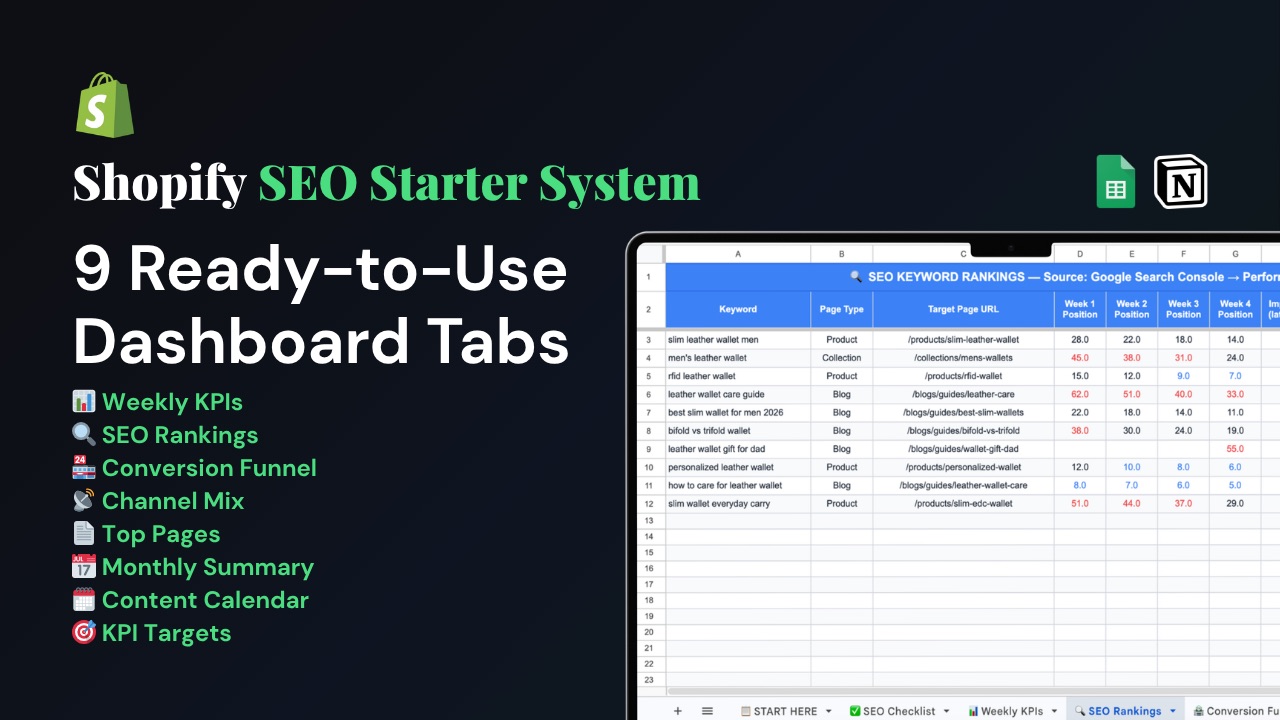
Stop paying for what you can do yourself. Download the Shopify SEO Starter System — the same step-by-step file we use to walk merchants through every task in this article, with progress tracking, dashboards, +145 action items and links to every tool mentioned.
Key Takeaways
- DIY Shopify SEO is realistic for store owners willing to commit five to eight hours per week for the first three months, then two to four hours per week for ongoing maintenance.
- The work breaks into four phases: technical foundation, on-page optimization, content and links, and measurement. Skipping phases or doing them out of order wastes time.
- The total cost of a serious DIY Shopify SEO setup is between $0 and $200 per month, with most of the cost coming from optional paid keyword tools. Compare to $24,000+ per year for an agency.
- You will not match an agency’s speed of execution, but you will execute on what your store actually needs rather than a templated audit. Specificity beats velocity for most small to mid-size stores.
- Hiring help makes sense for stores with 1,000+ products, complex international setups, or technical issues requiring developer-level theme modifications. For everyone else, DIY is the right call.
- The single largest predictor of DIY SEO success is consistency, not brilliance. Two hours per week for forty weeks beats forty hours in one weekend.
When DIY Makes Sense (And When It Does Not)
Before committing to handling Shopify SEO yourself, an honest assessment of your situation. DIY is not the right answer for everyone, and pretending it is wastes months for stores that need expert help.
DIY Works For:
Stores with under 500 products.
Catalog size scales the work. With fewer than 500 products, you can realistically optimize each one yourself within a few months.
Single-region stores.
If you sell primarily in one country and one language, the SEO work is contained. International SEO with multiple Shopify Markets, hreflang tags, and currency considerations adds complexity that benefits from specialist help.
Stores in moderately competitive niches.
If your product category has thousands of competing stores with high domain authority, ranking takes longer and benefits from a specialist’s strategic prioritization. If your niche is more contained, DIY can compete on equal footing.
Owners willing to spend five-plus hours per week initially.
SEO compounds. Five consistent hours per week for three months produce meaningful results. Two hours when you remember do not.
Stores at any revenue level under approximately $100K per month.
Above that scale, the opportunity cost of your time usually justifies professional help. Below it, the agency math rarely works.
DIY Is Less Likely To Work For:
Stores with 1,000+ products and ongoing inventory churn.
Manually optimizing thousands of pages is impractical. Bulk optimization with apps and templated approaches is necessary, which favors specialist execution.
Stores requiring custom theme modifications.
If your store needs deep theme code changes, headless implementations, or complex schema structures, a Shopify developer or technical SEO specialist saves time and prevents costly mistakes.
Stores recovering from a Google penalty or manual action.
Recovery work involves specific diagnostic skills and outreach strategies that take years to develop. This is not a good first DIY project.
Owners who genuinely cannot find five hours per week.
SEO done inconsistently produces inconsistent results. If your time is fully committed to other parts of the business, paying someone is more efficient than half-finishing the work yourself.
If your situation falls in the first list, the rest of this article is a complete playbook. If it falls in the second list, the playbook still teaches you what to expect from any agency you hire, protecting you from paying for surface-level work.
The Four Phases of DIY Shopify SEO
The work breaks into four sequential phases. Each builds on the previous one. Doing them out of order — for example, writing blog posts before fixing technical issues — wastes effort because the underlying problems prevent the upstream work from producing results.
The realistic timeline:
| Phase | Time Commitment | Calendar Time |
|---|---|---|
| 1. Technical Foundation | 5-10 hours total | Week 1 |
| 2. On-Page Optimization | 20-40 hours total | Weeks 2-6 |
| 3. Content and Links | Ongoing | Weeks 4-24+ |
| 4. Measurement and Iteration | 15-30 minutes per week | Ongoing |
Total upfront investment: 25 to 50 hours over the first six weeks. Ongoing: 2 to 4 hours per week.
Compare to hiring an agency: typically $2,000 to $5,000 per month with similar timelines for results, but executed by people who do not know your products as well as you do.
The checklist that organizes the next 6 weeks. Get the Shopify SEO Checklist — every task in the four phases below, with the right order, target benchmarks, and tool recommendations.
Phase 1: The Technical Foundation (Week 1)
The technical phase is the cheapest, fastest, and most overlooked part of DIY SEO. Skipping it means everything else underperforms.
Step 1: Set Up Google Search Console
Go to search.google.com/search-console. Add your store as a URL Prefix property. Verify ownership using the HTML tag method: paste a meta tag into your theme.liquid file inside the <head> section, save, and click Verify.
This takes ten minutes. It is also the single most important infrastructure step in DIY SEO. Without Search Console, you have no visibility into how Google sees your store.
Step 2: Submit Your Sitemap
Shopify auto-generates a sitemap at yourdomain.com/sitemap.xml. In Search Console, go to Indexing > Sitemaps. Type sitemap.xml (just the filename, not the full URL) and click Submit.
Wait 24 to 48 hours. Then check the Coverage Report to confirm Google has begun crawling your pages.
Step 3: Set Up Google Analytics 4
In Shopify admin, go to Online Store > Preferences. Add your GA4 Measurement ID in the Google Analytics section. Install the Google & YouTube app from the Shopify App Store for accurate e-commerce conversion tracking.
In GA4, link Search Console to GA4 under Admin > Property Settings > Linked Services. This unlocks query data inside GA4 reports.
Step 4: Audit for Common Technical Issues
Three checks that catch the most common Shopify SEO blockers:
Password protection.
In Online Store > Preferences, confirm your store is not behind a password. Password-protected stores cannot be crawled by Google.
Indexable products.
In your Products list, confirm the products you want ranked are set to Active status and assigned to the Online Store sales channel.
No accidental noindex.
Visit a few product pages, right-click and View Source, and search for “noindex.” If you find it, an app or theme edit added it incorrectly. Remove the source and request reindexing.
Step 5: Fix the Collection-Aware URL Issue
This is the highest-impact technical change available to most Shopify stores.
Your theme’s product cards on collection pages output URLs like /collections/x/products/y instead of the canonical /products/y. This creates duplicate content and orphans your real product pages from internal links.
Edit the product card snippet in your theme (typically card-product.liquid for Dawn-based themes or product-grid-item.liquid for older themes). Find references to | within: collection in product URL outputs and remove that filter. After saving, all product links across collection pages will point to canonical URLs.
A complete walkthrough of this fix and other duplicate content issues is in our duplicate content guide. The change takes ten minutes and benefits every product page on your store.
Time check
Phase 1 takes five to ten hours total, including waiting for verification and crawl confirmation. By the end of Week 1, you will have a working measurement infrastructure and a clean technical foundation. Now the actual optimization work begins.
Don’t skip the technical foundation. Download the checklist for the complete Phase 1 setup with screenshots and verification steps for each task.
Phase 2: On-Page Optimization (Weeks 2-6)
This is where the real work happens. Phase 2 covers the writing, editing, and per-page work that determines whether your store competes for the keywords you care about.
Step 1: Identify Your Priority Pages
Before optimizing anything, decide which pages deserve the most effort. List them in order:
- Your top 10 products by current revenue (or by potential if you are new)
- Your 5 most important collection pages (highest commercial value, most competitive keywords)
- Any landing pages targeting high-value keywords
You will optimize these 15 to 20 pages thoroughly before touching anything else. Trying to optimize 200 pages superficially produces worse results than optimizing 15 pages well.
Step 2: Do Real Keyword Research
For each priority page, identify one primary keyword. The right keyword has three properties: it matches transactional buyer intent, it has low-to-moderate competition, and you can realistically rank for it given your domain authority.
Free tools that work:
- Google search itself. Type your starting phrase and read the autocomplete suggestions and “People also ask” boxes. These are real queries.
- Google Keyword Planner. Free with a Google Ads account. Shows search volume by region.
- Ahrefs Webmaster Tools. Free. Shows keywords your site is already ranking for, including ones you did not realize.
- Ubersuggest. Free with limited daily searches. Adequate for small stores.
Aim for keywords with realistic difficulty for a new or small store: keyword difficulty scores below 30 in tools that measure it, or search volumes between 100 and 2,000 monthly searches. Long-tail keywords (“waterproof trail running shoes for women wide fit”) are usually winnable. Broad category terms (“running shoes”) are usually not.
Step 3: Rewrite Product Descriptions
The single largest content-level lever in DIY Shopify SEO. Every priority product needs an original description of 200 to 400 words that:
- Opens with a sentence containing the primary keyword and the main buyer benefit
- Translates features into benefits using the “so what?” test
- Includes specific verifiable details: dimensions, materials, weight, sizes
- Answers the questions buyers actually ask before buying
- Is written by you, not pulled from the manufacturer
Manufacturer copy is the most common reason Shopify product pages do not rank. The same text appears on dozens of competing stores. Google has no reason to rank yours over theirs. The fix is straightforward: write your own.
Budget two to four hours per product for genuinely strong description rewriting on your priority products. Yes, that is a lot. Yes, it is the work. The difference between $24,000 of agency money and your time is exactly this kind of writing — the agency would charge you for it, your description would be worse, and you would still need to give them all the product knowledge anyway.
Step 4: Customize Title Tags and Meta Descriptions
Shopify’s auto-generated title tags follow the format “Product Name – Store Name.” This is functional but not optimized.
For each priority page, write a custom title tag in the Search Engine Listing section:
- Lead with the primary keyword
- Stay under 60 characters
- Include a differentiator (free shipping, key benefit, brand)
Write a meta description of 140 to 155 characters that previews the page’s benefit and includes a reason to click.
This work is fast — two to three minutes per page — but compounds across the catalog.
Step 5: Optimize Images
For every priority product:
- Add descriptive alt text to each image (this is in the image edit menu inside the product page editor)
- Use filenames that describe the image before uploading:
merino-wool-scarf-charcoal-grey.jpginstead ofIMG_4872.jpg - Compress images before upload using TinyPNG or ImageOptim — Shopify converts to WebP automatically, but cannot fix oversized source files
Step 6: Add Collection Page Copy
Most Shopify collection pages are bare product grids with a title. Add 150 to 250 words of original copy above each priority collection’s product grid:
- Include the primary keyword for that collection in the first sentence
- Describe what the collection contains and who it serves
- Link to two or three subcollections or related collections
- Address the questions buyers ask at the category level
Collection pages target broader, higher-volume keywords than individual products. They are often the highest-leverage SEO opportunity available to Shopify stores.
Step 7: Set Up LocalBusiness Schema (If You Have a Physical Location)
Stores with retail locations should add the LocalBusiness schema and claim a Google Business Profile. Stores without physical locations skip this step. Full coverage of local SEO setup is outside this article’s scope, but covered in our local SEO guide.
Time check
Phase 2 typically takes 20 to 40 hours spread across four to six weeks, depending on your priority page count. This is the bulk of the DIY SEO work. After Phase 2, your most important pages are optimized to compete for their target keywords.
Want a template for product descriptions and title tags? The Shopify SEO Checklist includes a fill-in-the-blanks framework for both, plus the keyword research worksheet that organizes Phase 2.
Phase 3: Content and Links (Weeks 4-24+)
This phase runs parallel to and after Phase 2. It is the long-term compounding work that transforms your store from “well-optimized but unknown” to “ranking and earning organic traffic.”
Step 1: Build a Blog That Targets Buyer Questions
Shopify includes a native blog. Most stores either ignore it or fill it with generic content that ranks for nothing.
A working blog content strategy:
Identify informational keywords that your buyers search.
“How to choose [product type],” “best [product] for [use case],” “[product] vs [alternative],” “how long does [product] last.”
Publish one post per week.
Consistency beats brilliance. Forty mediocre posts published over a year outperform two perfect posts published in one weekend.
Each post links to relevant products and collections.
This is how informational traffic transforms into commercial traffic. A post on “How to Choose Trail Running Shoes” should link to your trail running shoes collection and to specific product pages multiple times within the content.
Each blog post takes two to four hours to write well. One per week is a sustainable cadence for most DIY merchants.
After six months, you have 24 to 26 posts that earn impressions for informational queries and pass authority to your product pages through internal links.
Step 2: Build Internal Links
Internal linking is entirely free, fast to implement, and consistently underused. The principles:
- Every product should have at least three internal links pointing to its canonical URL from different areas of the site
- Collection page descriptions should link to related collections and featured products
- Blog posts should link to relevant products and collections
- Navigation should include your highest-priority collections, not just “Shop”
- Footer links should include at least two priority collections alongside policy pages
A complete internal linking framework is in our internal linking guide. The work is incremental — each blog post you publish, each collection description you write, each product description you optimize is an opportunity to add internal links.
Step 3: Earn Backlinks (Slowly, Consistently)
This is the hardest phase of DIY SEO and the slowest to produce results. Backlinks from other websites pointing to yours remain among the strongest signals Google uses to evaluate domain authority.
Realistic DIY backlink approaches:
Supplier and partner directories.
If your products are sold or referenced by suppliers, distributors, or industry partners, ask to be listed on their websites with a link. This is the lowest-effort approach with the highest success rate.
Guest posts on industry blogs.
Write articles for blogs in adjacent industries that link back to your store. Aim for blogs with real traffic and engaged audiences, not link farms.
Press outreach for genuine news.
New product launches, sustainability initiatives, founder stories — anything legitimately newsworthy can earn coverage in industry publications and local press.
Community sponsorships and partnerships.
Local sports teams, charity events, niche communities online — sponsorship and partnership often come with a link to your site.
Original research or data publications.
If you have data your industry would care about (sales trends in your niche, customer survey results, sourcing transparency reports), publishing it earns links from journalists and industry sites.
What does not work: paid link networks, “guest posts” on irrelevant sites, link exchange schemes, and any tactic that promises hundreds of links for a fee. Google detects these patterns and penalizes them. Slow and legitimate beats fast and risky.
A reasonable target for the first year: 20 to 40 quality backlinks from relevant, legitimate sources. Stores that hit this benchmark see meaningful improvements in domain authority and ranking.
Time check
Phase 3 is open-ended. Two to four hours per week of content and links work, sustained over six to twelve months, separates stores that rank from stores that have technically correct but invisible SEO.
Phase 4: Measurement and Iteration (Ongoing)
The final phase is the discipline that holds all the others together: weekly measurement that catches problems early and confirms which work is producing results.
The 15-Minute Weekly Routine
Every week, on the same day:
- Open Google Search Console and set the date range to last 7 days versus the previous 7 days
- Note clicks, impressions, CTR, and average position trends
- Check the Pages report for new indexing errors
- Look for queries with high impressions and low CTR — title tag opportunities
- Open GA4 and check organic sessions and revenue versus the previous week
- Write one specific action item for the week
A complete walkthrough of this routine — what to look for, when to act, when to wait — is in our weekly tracking guide.
What to Track Monthly
Once per month, review the bigger picture:
- Total organic traffic trend over four weeks
- Which collection pages are growing
- Which product pages have the best traffic-to-revenue ratio
- Whether new blog posts are indexing and earning impressions
- Whether organic search as a percentage of total traffic is growing
When to Adjust Your Strategy
Three to four months in, you have enough data to evaluate what is working. The patterns to look for:
Pages that are indexing but not ranking — content quality issue, usually solved by deeper content, more specific keywords, or stronger internal linking.
Pages that are ranking but not getting clicks — title tag and meta description issue, solved by rewriting both.
Pages that are getting clicks but not converting — page quality or product issue, not a SEO problem but visible in your SEO data.
Categories where competitors are pulling away — competitive analysis to identify what they are doing differently and what gap you can fill.
The full weekly review template, monthly review framework, and decision triggers all in one file. Download the Shopify SEO Checklist — built for the DIY merchant who wants to measure progress without guessing.
The DIY SEO Toolkit (Free and Paid)
The complete tool stack for handling Shopify SEO yourself. Most are free.
Free, Essential
Google Search Console. Primary SEO monitoring tool. Tracks how Google sees your store, what queries drive impressions and clicks, indexing status, and technical issues.
Google Analytics 4. Connects SEO traffic to business outcomes. Shows which organic sessions convert.
Google PageSpeed Insights. Test Core Web Vitals on mobile and desktop.
Google Rich Results Test. Validates structured data, including Product, FAQ, and LocalBusiness schema.
Ahrefs Webmaster Tools. Free. Shows your existing keyword rankings, backlink profile, and basic site audit data.
Free, Useful
Bing Webmaster Tools. Like Search Console for Bing. Lower priority, but worth setting up once.
Screaming Frog SEO Spider. Desktop crawler, free up to 500 URLs. Surfaces orphan pages, broken links, and missing tags.
TinyPNG / ImageOptim. Free image compression before upload.
Google Trends. Identifies seasonal patterns and emerging topics in your niche.
Paid, Optional
Ahrefs or SEMrush. Comprehensive SEO toolkits with deep keyword research, competitor analysis, and rank tracking. Roughly $99 to $129 per month. Worth it for stores with an active SEO strategy and content publishing schedules. Optional for early DIY work.
A Shopify SEO app. Apps like Smart SEO, JSON-LD for SEO, or Avada SEO can help with bulk meta tag editing, schema, and basic audits. $5 to $30 per month. Useful for stores with hundreds of products to bulk-optimize.
Total typical paid cost for serious DIY: $0 to $200 per month. Compare to $2,000 to $5,000 per month for an agency.
Common DIY Mistakes to Avoid
Trying to do everything at once. Most failed DIY SEO efforts crash in the first month because the merchant tries to fix everything simultaneously, gets overwhelmed, and quits. Phases exist for a reason. Do them in order.
Optimizing for keywords with no buyer intent. Ranking for “what is a merino sweater” feels like progress, but produces no revenue. Focus on transactional keywords where buyers are ready to purchase.
Writing AI-generated descriptions and calling it done. AI tools produce generic, plausible content that lacks the specific, verifiable details Google rewards. Use AI for first drafts; rewrite every sentence with real product knowledge.
Tracking rankings obsessively daily. Rankings fluctuate within normal ranges. Daily checking creates anxiety and tempts reactive changes that hurt long-term results. Weekly is the right cadence.
Ignoring the rest of the page when optimizing the description. A great product description on a page with a generic title tag, no alt text, missing schema, and no internal links is still a weak page. Optimize comprehensively per page rather than partially across many pages.
Giving up at month three. Months one through three rarely produce visible traffic results. The first measurable wins typically appear in months four through six. Stores that quit at month three never see the compounding payoff.
Outsourcing critical knowledge. If you eventually hire help, the agency’s quality is bound by what you can tell them about your products, customers, and competitors. The DIY phase teaches you that knowledge. Skipping it produces worse results even when you do hire.
When to Hire (And What to Hire For)
DIY first does not mean DIY forever. After the first six months, you may identify specific tasks that are worth paying for:
Technical theme work. A Shopify developer for a one-off project (custom schema implementation, headless setup, complex theme modifications) is more efficient than learning Liquid template syntax.
Bulk content for large catalogs. A freelance copywriter at $100 to $300 per product description can handle the long tail of products you cannot personally optimize.
Backlink outreach. A specialist agency or freelancer focused on outreach can scale link building beyond what you can do alone.
Strategic audits at major milestones. A two-hour consultation with a senior SEO specialist at six months and twelve months can identify blind spots and prioritize the next phase. Far cheaper than a full retainer.
What rarely makes sense for a small to mid-size Shopify store: a full-service SEO retainer agency at $2,000+ per month. The economics work against you until your store is large enough that even small percentage improvements justify the spend.
Frequently Asked Questions
How long does DIY Shopify SEO take to produce results?
Technical fixes show results within days to weeks. On-page optimization (rewritten descriptions, customized title tags) shows ranking changes in four to twelve weeks. Content marketing and backlinks compound over six to twelve months. Most DIY stores see meaningful organic traffic growth between months three and six of consistent work, with significant compounding visible from month six onward.
Can I really do this without any SEO training?
Yes, for the work covered in this article. Shopify SEO is procedural rather than secret. The information is publicly documented (Google Search Central, Shopify Help Center, and detailed guides like this one). What it requires is time, consistency, and willingness to work through unfamiliar tools at the start. None of it requires a certification or specialized degree.
How much time per week should I budget?
Five to eight hours per week for the first three months while you complete the technical foundation and on-page optimization phases. Two to four hours per week ongoing for content publishing, link building, and weekly measurement. Stores that try to compress this into one weekend per month consistently underperform stores doing one to two hours every weekday.
Should I hire an agency if I have already tried DIY and it is not working?
Diagnose the cause first. “Not working” usually means one of three things: the work is not being done consistently (an agency will not fix the same execution problem), it is too early (months one to three rarely show traffic results regardless of who is doing the work), or the strategic approach is wrong (an audit can identify this without committing to a retainer). Pay for a one-time strategic audit before committing to a full agency engagement.
What is the most common reason DIY Shopify SEO fails?
Inconsistency. Stores that work two hours per week every week for six months produce results. Stores that work fifteen hours one weekend then nothing for two months, do not. The compounding nature of SEO punishes irregular effort. The discipline of a small weekly commitment is the single most important predictor of success.
Do I need to know how to code?
For most of the work, no. The core DIY tasks — keyword research, writing descriptions, optimizing titles and meta descriptions, building internal links, publishing blog content, and weekly measurement — require zero coding. The technical phase has one optional code task (the collection-aware URL fix), which is a single line change in a theme file with clear instructions. Stores that need significant theme modifications benefit from hiring a Shopify developer for that specific task while continuing DIY for everything else.
Is paid SEO software worth it?
Not for the first three to six months. Free tools (Google Search Console, GA4, Ahrefs Webmaster Tools, Google Keyword Planner) cover everything you need to start. Paid tools like Ahrefs and SEMrush become valuable when you are publishing content regularly and want deeper keyword research and competitor analysis. Subscribe when you have an active strategy that uses the data, not before.
How do I know if my DIY effort is actually producing results?
Check Google Search Console weekly for impressions trend and indexed pages count. Both should be growing within four to eight weeks of consistent work, even before clicks become significant. Check GA4 monthly for organic sessions and revenue trends versus previous months. By month four, you should see meaningful directional growth in at least one of these metrics. If after six months of consistent work, nothing has moved, audit your approach with a one-time consultation rather than continuing the same work indefinitely.
Everything in this article in one place, organized for execution. Download the Shopify Starter System — every task, in order, with checkboxes, target benchmarks, and links to the deeper guides on each topic.